Where do you work?
Inside Shopify
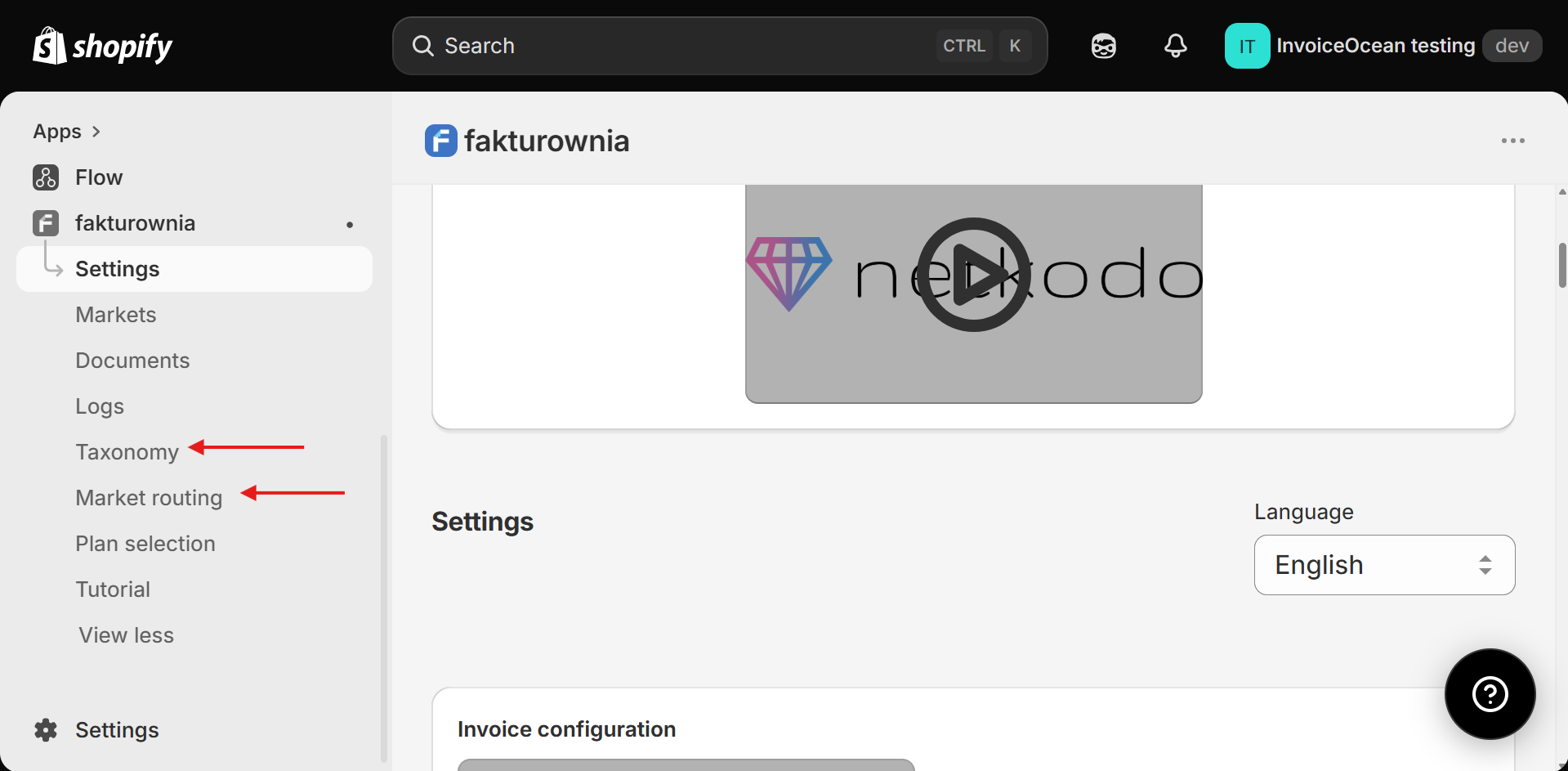
Configure the app, open invoice links and handle exceptions from the Shopify environment your team already uses.
Fakturownia Integrator connects your Shopify store with Fakturownia, then automates invoice work around the way your business actually operates. This guide explains what you can configure, what happens to an order, and where your team stays in control - without technical implementation details.
Overview
The app keeps the day-to-day experience simple: connect Fakturownia, choose your rules, and let Shopify order events trigger the right document. Behind the scenes, it keeps the information from your order, payment and customer details together so your team does not have to recreate it manually.
Where do you work?
Configure the app, open invoice links and handle exceptions from the Shopify environment your team already uses.
When does it work?
Choose whether an order should produce a document when it is created, paid or fulfilled.
Where do documents live?
Your chosen Fakturownia department issues the document, while Shopify remains a convenient place to find it.
The complete journey
This is the practical order expressed from the merchant’s point of view.
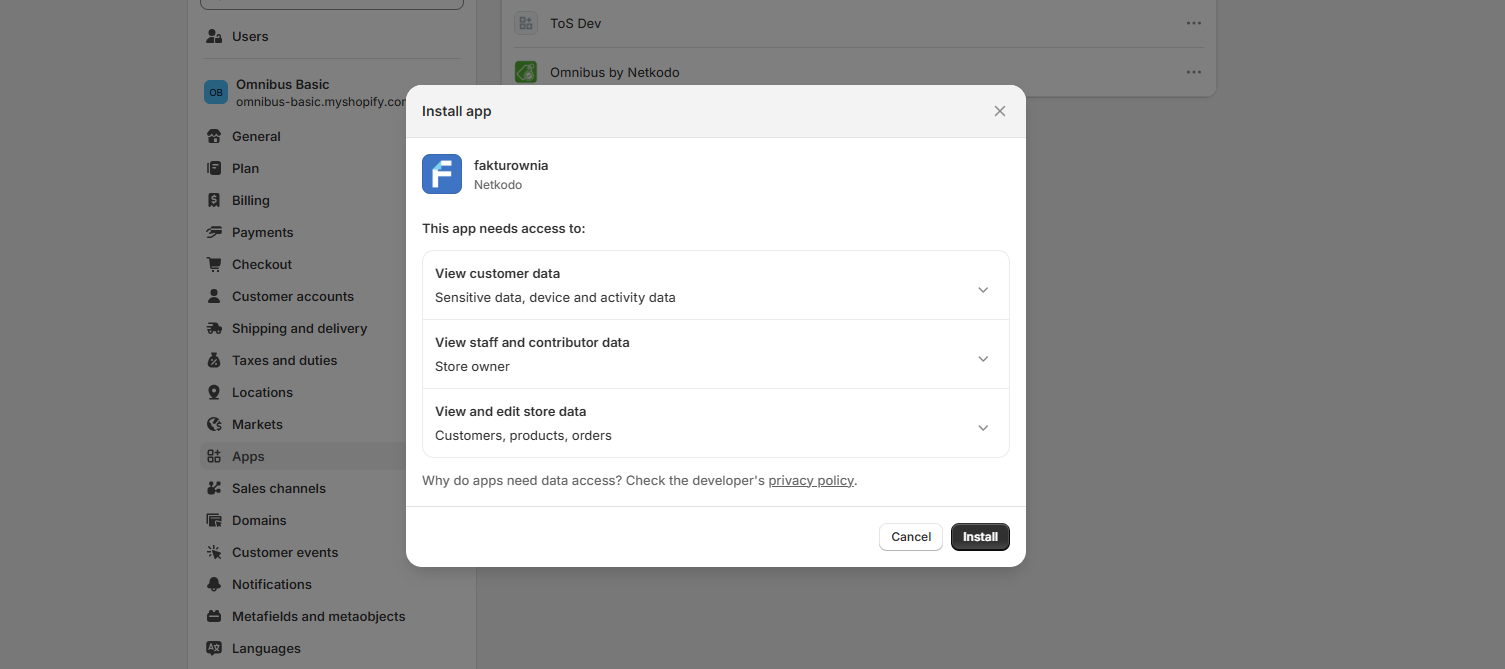
Configuration
Each setting answers a practical question: which account should issue the document, when should it be created, which customer type does the rule apply to, and what should happen afterwards?
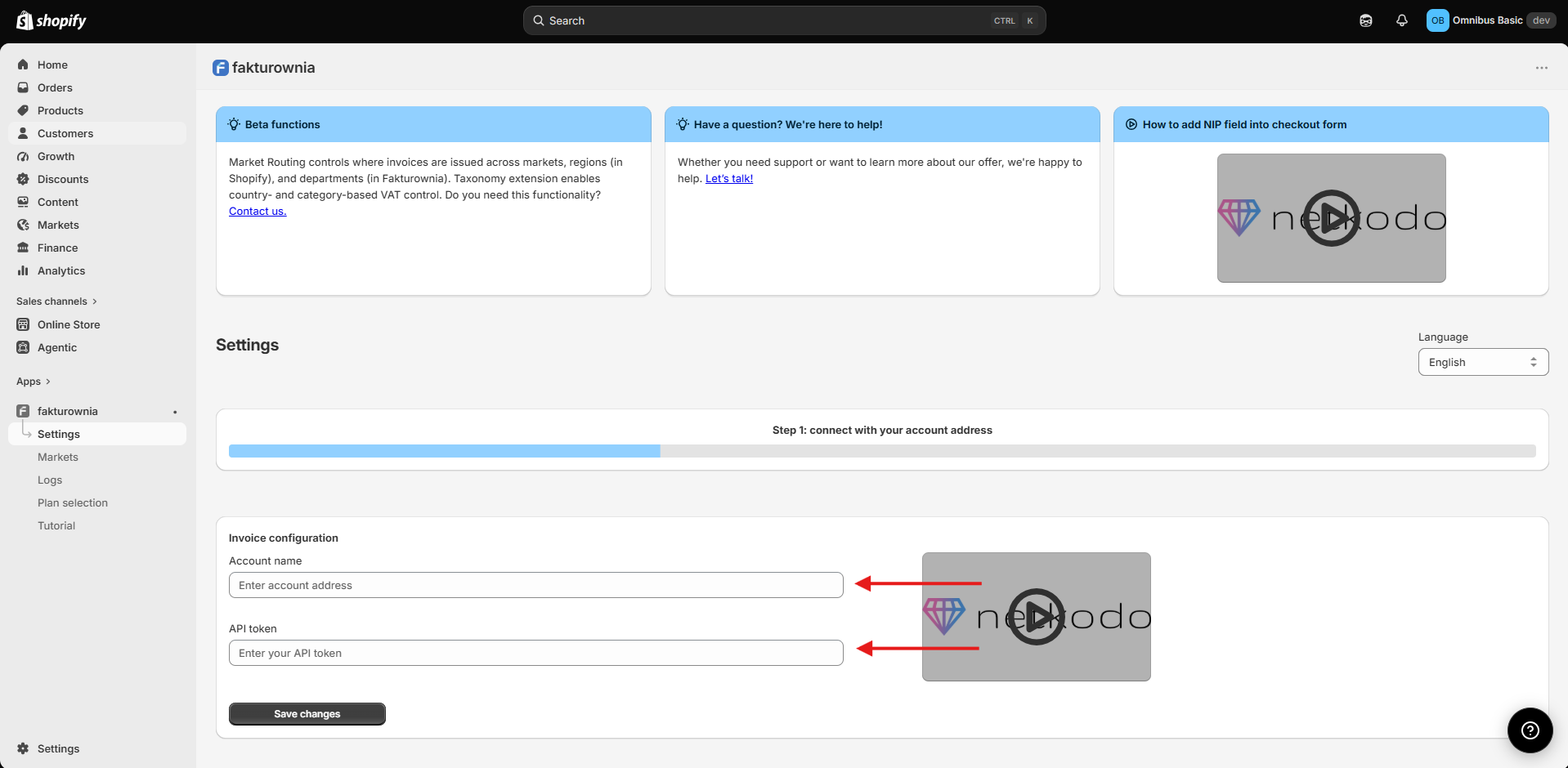
01 · Connect
Enter the account details requested by the app and confirm the connection. The app then makes your Fakturownia departments available for invoice configuration.
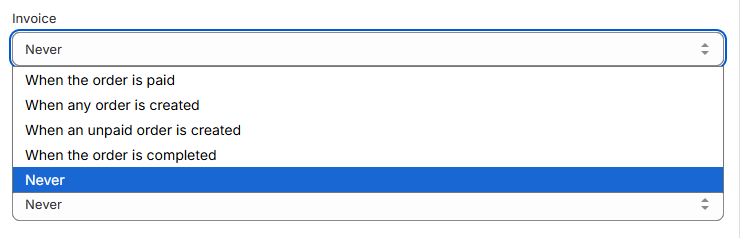
02 · Choose timing
Choose whether each document type should be issued when an order is created, while it is still unpaid, when payment is confirmed, after fulfilment, or only manually. You can also choose not to automate a particular document type. For each trigger, you can also choose whether the customer should receive the document by email and, where enabled, whether it should be sent through KSeF.

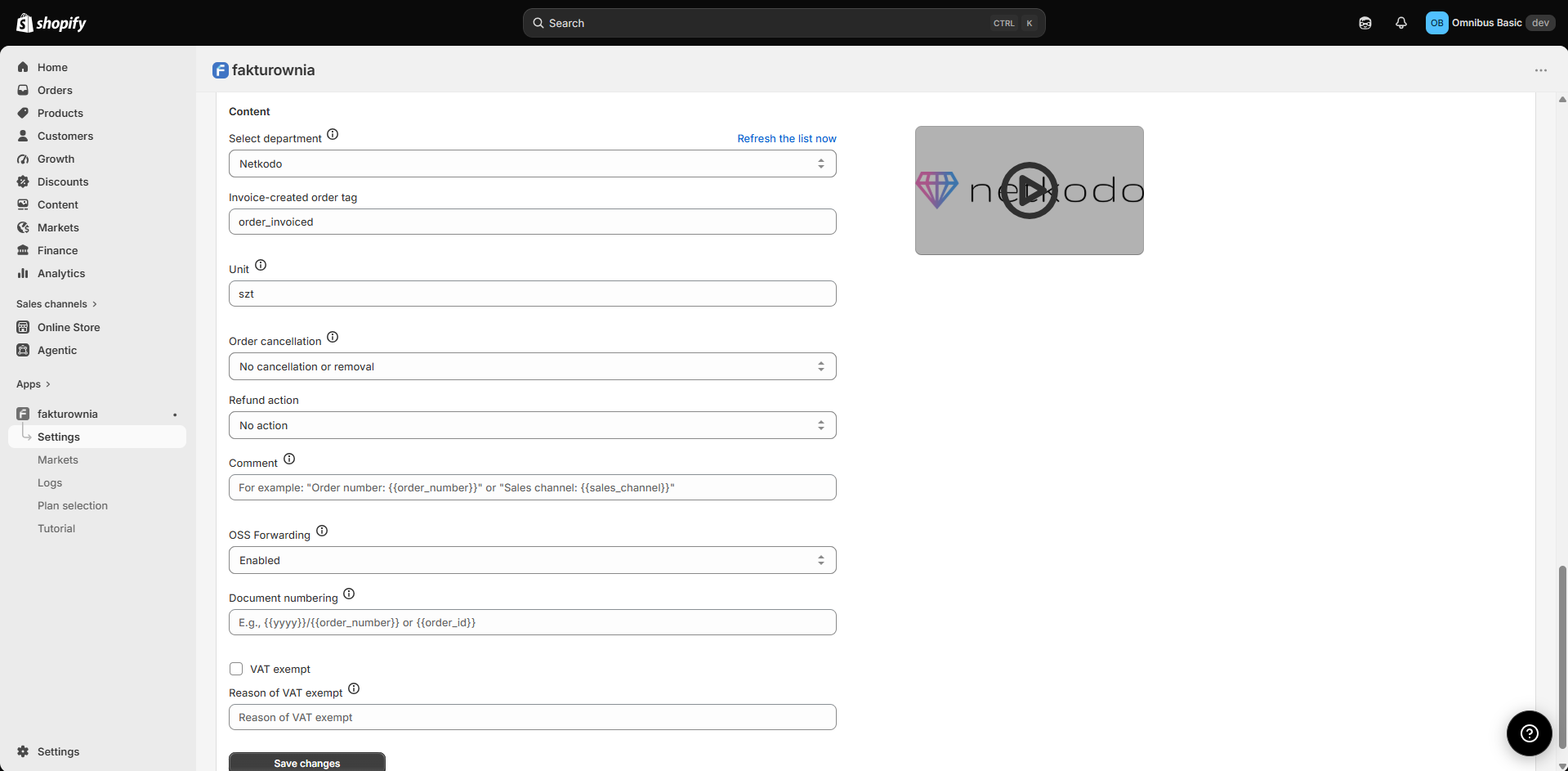
03 · Define options
Select a default department and configure details such as comments, document numbering, quantity units, email delivery, cancellation and refund handling.
04 · Add advanced rules
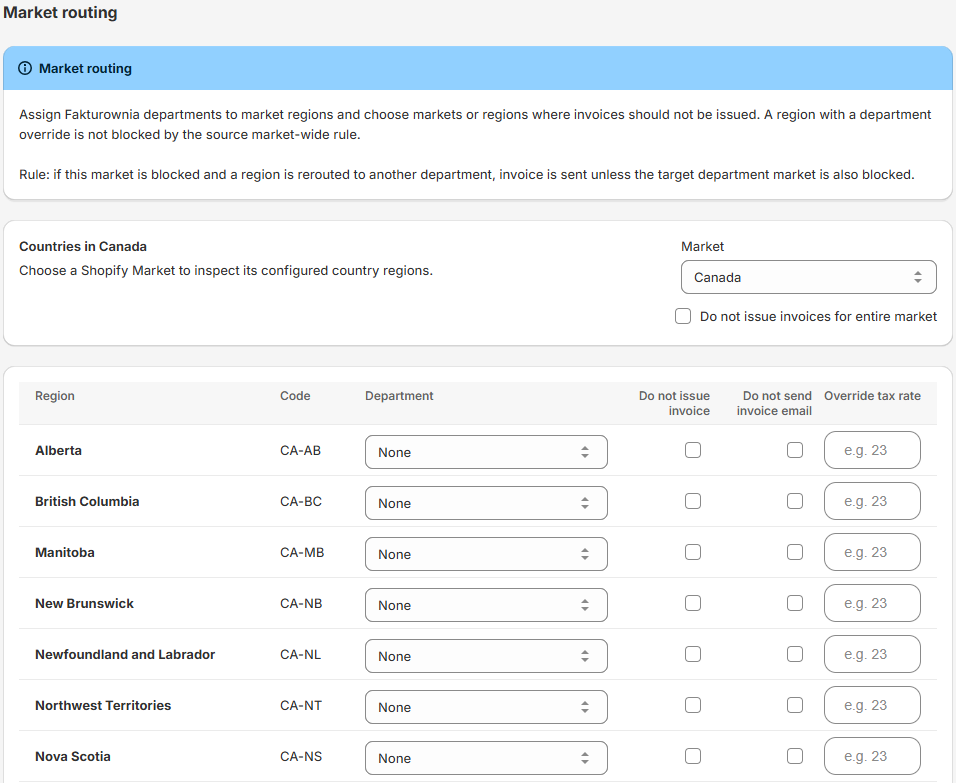
For international stores, new features can add routing and more detailed VAT decisions after your core workflow is in place.
Company and consumer orders
The app can distinguish company orders from consumer orders using the invoice information collected with the order, including the customer’s tax ID when it is provided. That lets you choose different document timing and behaviour for each group.
The checkout flow can capture a customer’s request for an invoice and their tax identification number, so company information is available when the order is processed.
Set separate document rules for business and consumer customers rather than relying on a single, inflexible invoice policy.
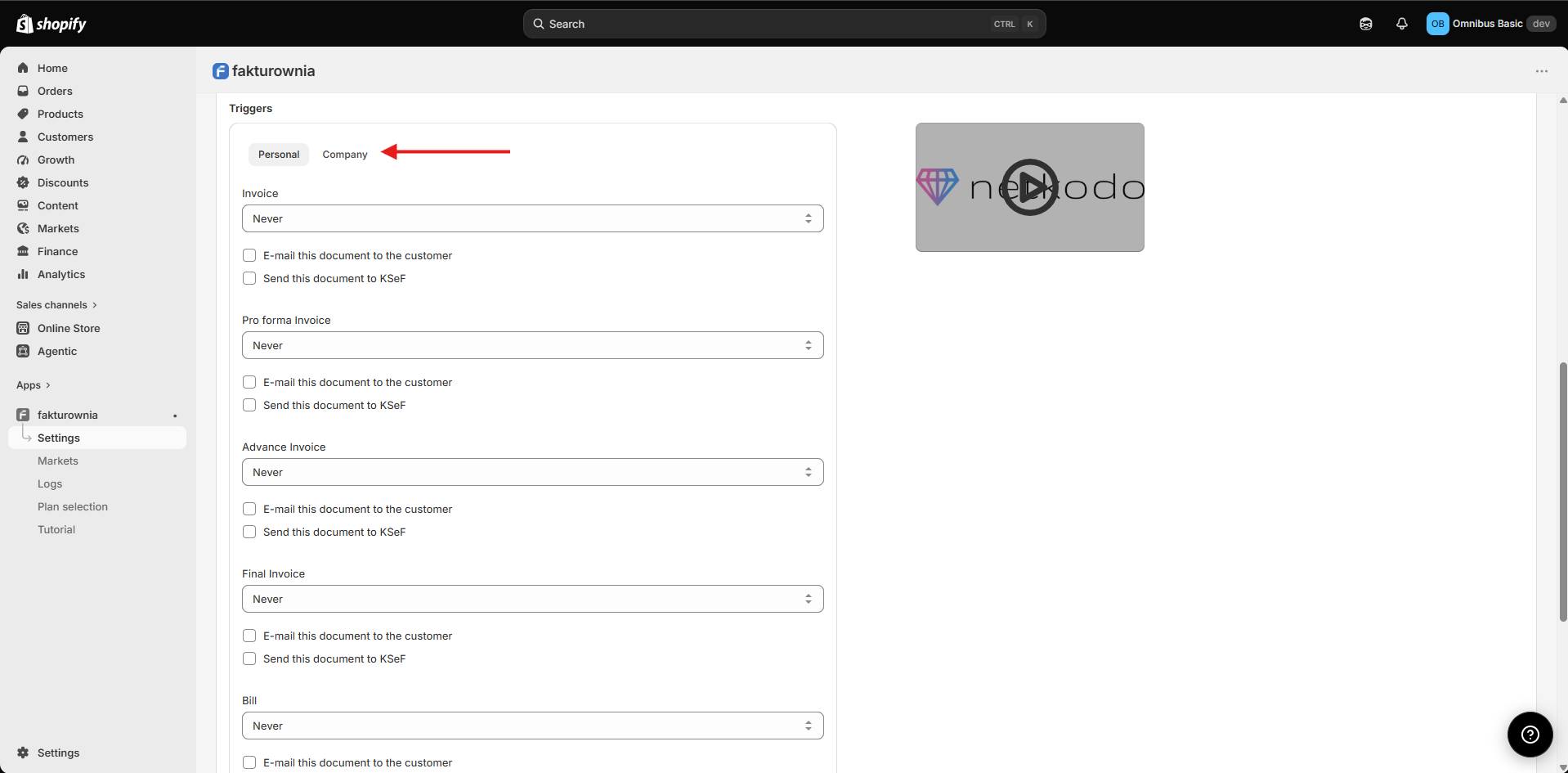
If your store also sells through Shopify POS, you can set a dedicated document type for POS orders, separately for company and consumer customers where needed.

Automatic processing
Once configured, the app monitors the ordinary changes in an order’s journey. It uses the trigger you selected, avoids issuing the same document twice, and keeps the resulting invoice connected to the Shopify order. After creation, the app marks the order as invoiced and keeps a direct invoice link with the Shopify order, so your team can find the document quickly.
| What changes in Shopify? | What can you ask the app to do? | Why is it useful? |
|---|---|---|
| An order is created | Create the chosen document immediately, including for eligible draft orders. | Useful when your process starts as soon as a customer places an order. |
| An order is paid | Issue the document at payment confirmation and keep payment information aligned with the document workflow. | Useful when paid status is the key financial milestone. |
| An order is fulfilled | Issue the document after fulfilment or completion. | Useful when dispatch or delivery is the operational trigger. |
| An order is cancelled | Apply your configured cancellation behaviour to the related document process. | Helps your team handle cancellations consistently instead of starting from scratch each time. |
What goes into a document
The app uses the relevant Shopify order details and the preferences you have set to prepare a document in Fakturownia. The goal is to reduce duplicate data entry while retaining control over the business details that matter.
Buyer information, tax ID and delivery details are used where appropriate, including situations where the billing and delivery addresses differ.
Order lines, delivery and applicable discounts carry through to the document, together with the currencies and payment terms relevant to the order.
The selected Fakturownia department supplies the seller-side information for the document.
Depending on your configuration, the document can be emailed to the customer and included in your preferred compliance workflow, such as KSeF where enabled.
VAT decisions
For everyday stores, Shopify order tax information supports the document workflow. For more complex circumstances, the app can use stronger merchant-defined VAT rules first. This helps international stores keep control without changing their normal order process.
VAT-exempt setting. If the business is configured as VAT-exempt, the document follows that setting and can include the relevant exemption reason.
Regional VAT rule. When Market Routing includes a VAT rule for a relevant region, that explicit rule can be used for the order.
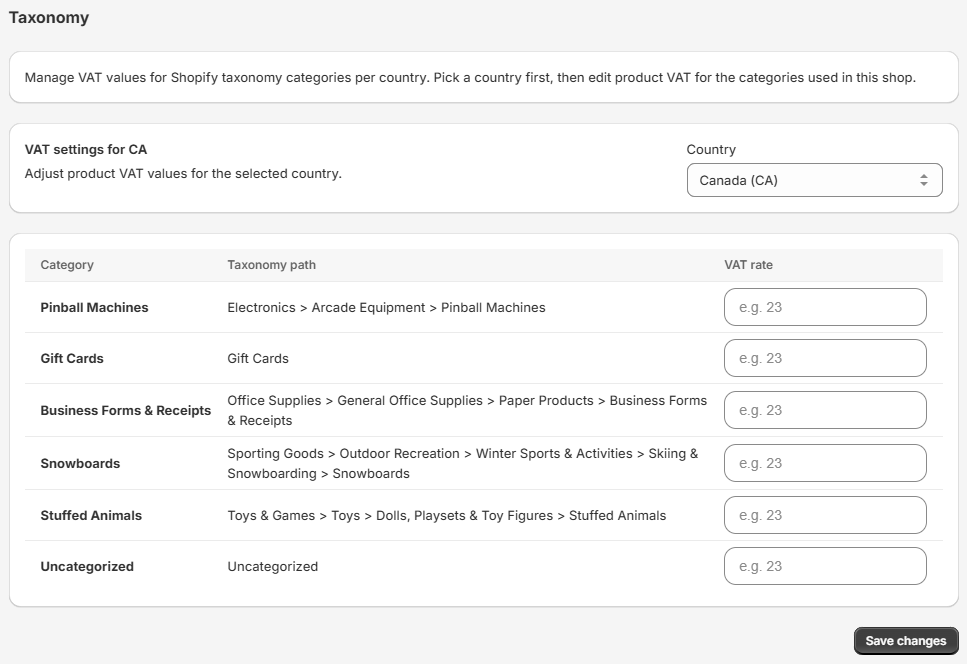
Country and product-category mapping. With the VAT Extension enabled, you can define rates for the combination of sales country and Shopify product category.
Order tax details. When no stronger rule has been set, the app uses the tax information available in the Shopify order.
Shopify Admin actions
Your team does not have to leave Shopify every time an order needs attention. The app keeps useful document actions close to the order, while still applying the same configuration choices you made for the store.
Open the document associated with an order from Shopify Admin.
Handle an individual order outside the automatic trigger when a member of your team needs to intervene.
Process multiple selected orders together when a group needs attention.
Use a practical recovery action for an order that was not previously processed as expected.
Extensions for international stores
These new features build on the core invoicing workflow. They are designed for businesses that need more control across markets, regions, departments and product categories. Contact Netkodo to discuss access.
Make your Shopify Markets setup more useful to finance operations.
Make cross-border tax handling more predictable for the products you sell.
Questions
Yes. You can configure document timing around order creation, payment, fulfilment or a manual workflow.
Yes. It can apply separate rules for company and consumer orders, using the invoice details available with the order.
The invoice remains connected to the relevant Shopify order, giving your team a direct route to it while working in Shopify Admin.
The free plan includes 3 invoices per billing period. The limit applies to both automatic workflows and invoices created manually from Shopify. The dashboard shows your current usage.
Market Routing and VAT Extension are new features. Contact Netkodo if you would like to explore whether they suit your store.
Next step
Install Fakturownia Integrator to connect Shopify and Fakturownia, then start with your core document rules. If you need help with a complex B2B, POS or international setup, the Netkodo team can discuss the right approach.
Open Fakturownia Integrator